


The budget question often arrives too early. A team decides it wants a gesture wall, touchscreen, AR layer, or sensor-led activation before anyone has agreed on the first thing the audience should actually do.
That is where expensive confusion begins. If you choose the format before you understand the first audience action, you are not funding communication yet. You are funding a guess.
For us, interactive media production starts with behaviour: who notices the experience, what tells them it is interactive, what action feels natural, and what response confirms that the system understood them. Once those decisions are clear, the technology becomes much easier to justify.
Key Takeaways
- Choose the interaction format by audience behaviour, not by how impressive the technology sounds.
- The first user action should be clear before the asset list grows.
- Scope increases with content states, hardware inputs, custom logic, and testing that’s not just screen size.
- Prototype the journey before producing every animation, graphic, and transition.
- If an experience only works in a quiet demo with one attentive user, it has not been tested for the real venue yet.
Why Interactive Briefs Often Start With the Wrong Question
Many briefs begin with a surface ambition: make it immersive, memorable, or new. Those words describe an aspiration, but they do not describe behaviour.
An immersive experience still needs to tell people what role they have in it. A touchscreen, gesture sensor, QR trigger, or interactive video can all look convincing in a presentation. But the format is not the idea. If people cannot work out what to do, better animation only makes the confusion more polished.
The venue often tells you more than the technology list. A quiet gallery can reward exploration; a busy mall cannot assume people will stop and read instructions. A queue, lobby, family attraction, exhibition, and public thoroughfare all create different patterns of dwell time and distraction.
That is why audience behaviour is a production input, not a nice extra. Before we design the interaction, we design around the way the space is already being used.
See also: AR content production.
Choose the Interaction by Audience Behaviour
Once the first audience action is clear, formats become easier to compare. You are choosing how much effort the audience should make and what kind of response the experience needs to deliver.
| Format | Works best when | Main trade-off |
|---|---|---|
| Gesture / sensor | The first action should feel immediate and instinctive | Fast cause-and-effect, but usually less suited to deep browsing |
| Touch | People have time to explore, compare, or reveal information | Needs clear interface hierarchy and comfortable dwell time |
| QR / mobile | The experience should continue beyond one fixed screen | Every scan and device switch adds participation friction |
| AR | Digital content needs to appear in relation to a real place or object | Depends on device flow, tracking conditions, and user guidance |
| Interactive video / screen | The audience needs to choose between simple paths or content states | Branching logic can grow quickly if the journey is not controlled |
The format can also sit between categories. A mixed reality experience might combine physical space, digital content, tracking, and audience movement rather than relying on one screen or input.
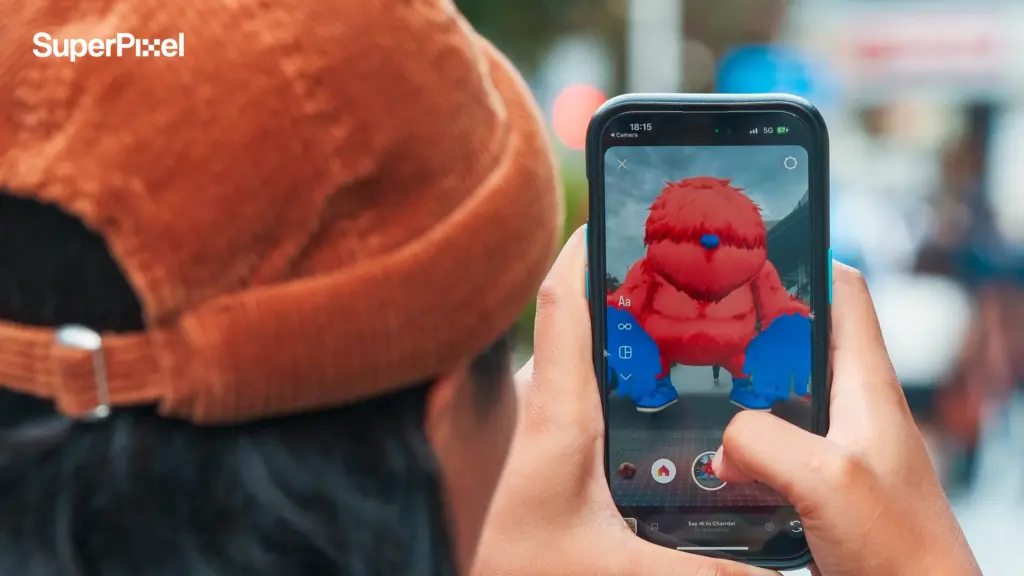
For AR specifically, the technology only earns its place when digital content has a useful relationship with the environment. Our guide to augmented reality experiences looks more closely at how that layer can work within a broader audience experience.
The strongest ideas are often simpler in action than they appear in the pitch. One obvious action followed by one readable response can create a stronger public experience than several features competing for attention.
What Actually Changes the Scope and Budget?
Interactive work becomes easier to budget once the behaviour is settled. Two ideas can look almost identical in a mood board and still require very different production systems.
Content states
Every resting state, triggered response, alternate result, timeout, reset, and error condition creates something that needs to be designed, animated, tested, or coded. A simple-looking experience can become complex quickly when the state count grows.
If those states depend heavily on animated visual feedback, the scope can begin to overlap with a broader motion graphics production, where every additional state may require its own transitions, timing, and visual hierarchy.
Hardware inputs
Touch, gesture, camera tracking, QR, buttons, mobile devices, and other inputs do not behave the same way. The content team needs to know what the hardware can detect reliably before the creative logic is locked.
Custom logic and branching
The more choices the system makes, the more paths need to work. Branching can be valuable, but it should earn its complexity. If several outcomes do not change what the audience understands, they may be scope without much communication value.
An interactive infographic is a useful example: interaction can help people explore information at their own pace, but every additional path should make the information easier to understand rather than simply add another clickable state.
Testing and environment tuning
Many buyers assume the visible animation is the expensive part. Often the hidden work is tuning: trigger sensitivity, response timing, sightlines, glare, reset behaviour, crowd conditions, and hardware reliability.
When budget or timeline gets tight, cut branches before you cut clarity. Protect the invitation, the response, and the message first.
Case Study: How One Simple Action Shaped Pokémon Happy Holidays
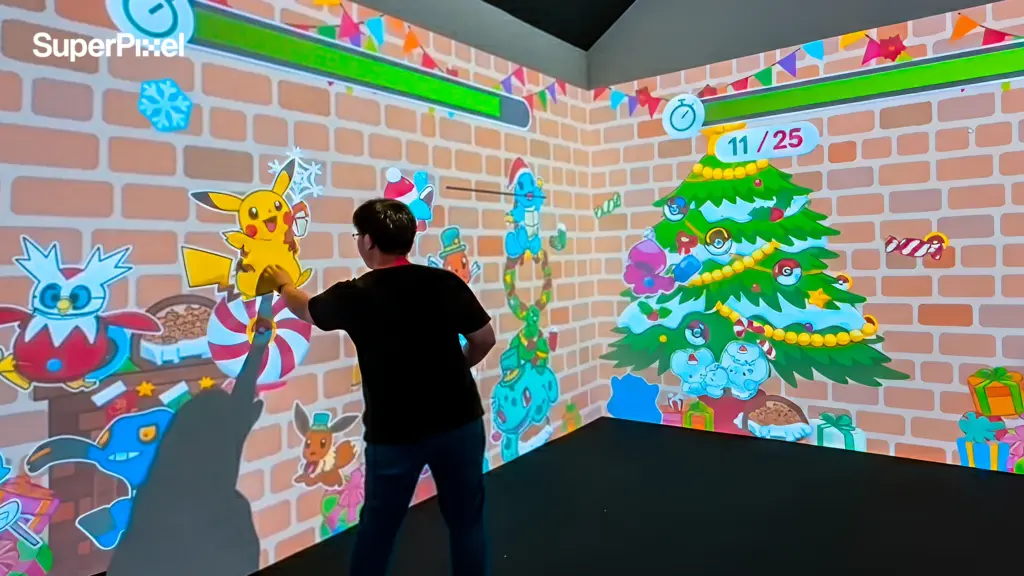
For Pokémon Happy Holidays at Suntec City, the audience entered a high-traffic retail environment, often mid-walk and in groups. For more on this, see our augmented reality in retail. The experience could not rely on staff explaining every step.
The production logic therefore started with a simple public behaviour: notice the focal area, interact, see an immediate visual response, then understand that the wall could react again.
That single action affected much more than the sensor choice. The motion graphics needed a clear resting state. The trigger needed a readable payoff. The response had to happen quickly enough to reward curiosity, and the screen needed to return to a state that made sense for the next visitor.
The audience around the active user mattered too. In a shared retail experience, spectators are part of the system. Someone watching nearby should understand that an action caused the response, even without touching the installation.
That is the production lesson we would carry into any interactive brief: one apparently simple audience action can define the animation states, trigger logic, timing, reset behaviour, and testing plan behind the experience.
Prototype the Journey Before You Produce Every Asset
You do not need every final animation loop, graphic, and transition to discover whether an interaction makes sense. You need enough of the journey to expose hesitation.
Before expanding the asset list, we map the first-use path: who notices the piece, what signals that it can respond, what they do first, and what feedback confirms success.
Then we pressure-test it. If users hesitate at the first move, the problem is still cheap to fix. Once dozens of content states and finished animations have been built around that hesitation, it becomes expensive.
The same principle applies whether the final route becomes a sensor wall, 3D projection mapping, an AR activation, interactive video, or mobile follow-up. Prototype the behaviour before polishing the branches.
If AR is being considered as the campaign layer, it is also worth looking at different augmented reality marketing examples before committing to a mechanic. The useful comparison is not which execution looks most impressive, but what behaviour each one asks from the audience.
Test It in the Real Environment
Interactive experiences should be tested in the conditions people will actually meet them in. Not a quiet room. Not a perfect demo setup. The real place.
Distance changes readability. Venue noise affects audio cues. Glare changes contrast. Crowd movement changes waiting time and whether one user blocks the experience for everyone else.
If the concept only works when someone is standing still, centred, and fully attentive, it has not been tested yet. It has only been admired.
Three Tests Before You Approve the Concept
1. Can someone understand the first action without staff?
If every visitor needs coaching, the invitation is probably too weak for an open public setting. Either budget for facilitation or make the screen, space, and feedback teach the action together.
2. Does the experience still make sense with the sound off?
Many venues are too noisy for audio to carry the first instruction. The interaction should still communicate action, response, and outcome through framing, motion, hierarchy, and visual feedback.
This is where basic visual communication matters more than decorative complexity. The audience should be able to understand what changed and why before additional effects compete for attention.
3. What happens when a crowd gathers?
A clean one-user demo can break the moment several people watch, wait, trigger, or block the sensor at once. Ask what spectators see, how the system resets, and whether the next person understands when it is their turn.
Frequently Asked Questions
What should our team prepare before interactive content production begins?
Bring the venue details, screen or display specifications, hardware constraints, brand guidelines, audience flow, and the one message the experience must communicate first.
Can one interactive experience be adapted for different venues later?
Yes, but reuse should be planned early. Different wall proportions, sightlines, sensor ranges, and traffic patterns may require meaningful changes to the content and interaction logic.
Who handles the hardware side of an interactive installation?
It depends on the project. What matters is defining responsibility early so the creative logic is designed around hardware inputs and limits that can actually be delivered reliably.
How long does interactive content production take?
Timelines depend more on states, logic, hardware integration, testing, and approvals than on screen size. Multi-state installations need more prototyping and environment testing than simple interactions.
Can an interactive installation work without custom hardware?
Yes. Touchscreens, QR-led experiences, browsers, mobile devices, and existing venue systems can all support interactive content when they match the audience behaviour and campaign objective.
Have an Interactive Brief That Still Feels Too Broad?
Send us the venue, audience flow, screen or hardware information, and the first action you want people to take. SuperPixel can help turn the brief into a clearer interactive media model before the asset list and technical scope grow around the wrong idea.
Explore our cost of an augmented reality app page for related insights.Explore selected SuperPixel projects or contact the team to discuss the experience.